Skip to content
DiscountIQ

DiscountIQ for Shopify

Plan the offer. Check the rules. Then publish.

Build automatic discounts and coupon codes with guided setup. Review the eligible cart, dates, and combination settings before choosing when a campaign goes live.

Public installation is not confirmed. Last recorded Shopify status: in review, with a response under review.

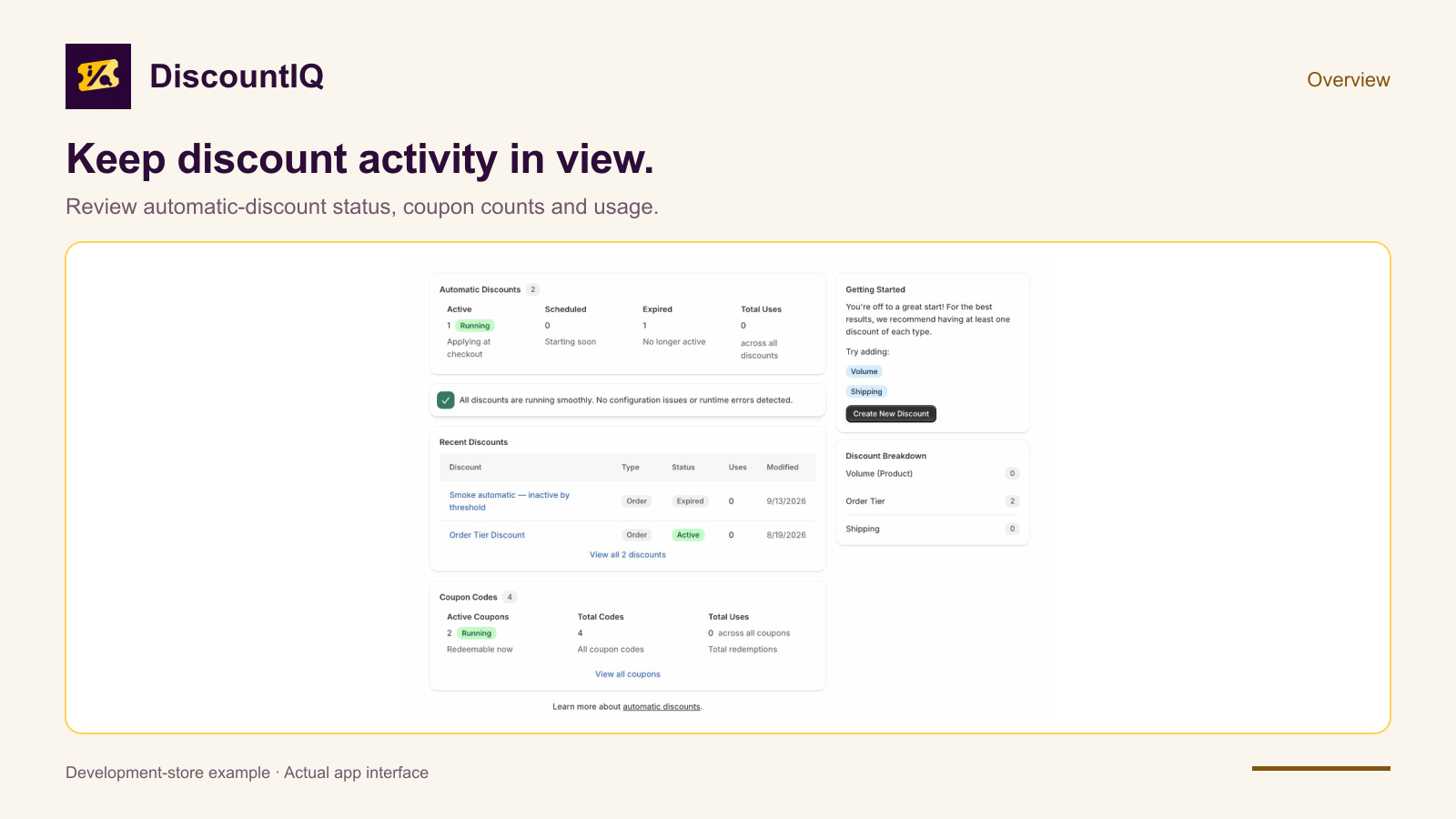
DiscountIQ dashboard showing Shopify discount campaign management
Real development-store capture, October 15, 2026. Campaigns and codes are development examples; previewing an offer is not proof of checkout behavior. View full-size screenshot.

What DiscountIQ helps you do

For merchants setting up quantity offers, VIP promotions, free shipping, or coupons. Make the intended offer clear before testing it in checkout.

Start with a focused campaign

Configure supported volume, VIP, free-shipping, and BOGO-style offers, or create coupon codes. Work through the eligibility and discount rules for the promotion you intend.

Review the offer before publishing

Use setup previews and campaign settings to review savings and eligibility. Check combination settings and other active offers before testing the result in checkout.

Manage the campaign's lifecycle

Choose when to create, activate, deactivate, or delete a discount. Review dates, status, and the offer configuration rather than assuming a saved preview has made it live.

From the first check to the next step

A workflow inside Shopify admin, with decisions you can review.

  1. Define the intended cart

    Choose the offer type and specify the products, quantities, thresholds, or eligibility settings that matter to the promotion.

  2. Review dates and combinations

    Check start and end settings, eligible buyers, and whether the offer may combine with other discounts. Review other active campaigns too.

  3. Test checkout and choose publication

    Test qualifying and nonqualifying cases in an appropriate store. A setup preview is a planning aid; the actual cart and Shopify rules decide the checkout result.

Know the scope before you start

Choose the app for what it does today.

  • Shopify's current discount rules, plan eligibility, and combination restrictions still apply. The app does not bypass checkout platform limits.
  • A preview does not prove every checkout outcome. Test the actual cart, buyer eligibility, market, shipping, and other discounts before launching a promotion.
  • VIP rules use configured tag-match results supplied to the checkout Function. DiscountIQ does not request Admin customer access or store customer records.
  • The app does not automatically publish a campaign simply because you reviewed its setup, and it does not guarantee profit or increased conversion.

Practical Shopify guides

Understand the problem, work through an example, and choose your next step.

Questions before you install

Capabilities, changes to your store, and billing.

What kinds of discounts can I configure?

DiscountIQ supports guided automatic campaigns and coupon codes, including volume, VIP, free-shipping, and BOGO-style configurations. Check the selected offer's settings and Shopify eligibility before launch.

Does a preview make a campaign live?

No. You choose the creation and activation actions. Check the saved status and dates, then verify the offer in checkout.

Can every discount combine with every other offer?

No. Shopify applies discount classes, combination settings, and eligibility rules. Review the relevant settings on each discount and test the actual cart.

Does DiscountIQ store customer data for VIP offers?

The app does not store customer records or request the Admin customer scope. The configured checkout Function uses the buyer tag-match results Shopify supplies for the selected eligibility rules.

Can I install DiscountIQ now?

Public installation is not confirmed. The last recorded Shopify status is in review with a response under review. Contact support for current availability.

Availability and pricing

Public installation is not currently confirmed. Contact support about availability. Installed stores can review subscription options and billing terms in Shopify before accepting a plan.

Public installation is not confirmed. Last recorded Shopify status: in review, with a response under review.

Availability checked October 15, 2026. Contact support for current access questions.

Already using DiscountIQ?

Open the app from Shopify admin, or enter your store domain to continue to Shopify sign-in.

Shopify handles authentication. Do not enter a password here.